The architectural landscape has undergone a profound digital transformation. The tools of the trade have evolved from drafting tables and physical models to sophisticated software suites that empower designers to visualize, analyze, and construct with unprecedented precision and creativity. For students, emerging professionals, and seasoned architects aiming to stay competitive and relevant, mastering a core set of software is no longer optional it is fundamental. This comprehensive guide explores the indispensable software categories and specific applications that define modern architectural practice, detailing their unique strengths, industry applications, and the critical role they play in shaping the built environment.
A. The Foundational Pillar: CAD & Precision Drafting Software
At the heart of architectural documentation lies Computer-Aided Design (CAD). This software forms the digital backbone for creating accurate, scalable, and detailed two-dimensional drawings, including floor plans, elevations, sections, and construction details.
1. Autodesk AutoCAD: The Industry Standard
A titan in the field, AutoCAD remains the quintessential CAD tool. Its pervasive use across architecture, engineering, and construction makes it a non-negotiable skill.
-
Core Functions: It excels in creating precise 2D geometry and technical drawings. While it possesses 3D capabilities, its primary strength is in generating the comprehensive documentation sets that guide construction.
-
Why Learn It: Universal compatibility is its greatest asset. AutoCAD’s .DWG file format is the lingua franca for drawing exchange. Understanding its layer management, block creation, and annotation tools is essential for collaborating with consultants, contractors, and regulatory bodies.
-
Expanded Application: Beyond basic drafting, proficiency in AutoCAD includes mastering layouts and viewports for sheet set organization, using xrefs (external references) for efficient teamwork, and leveraging its extensive library of custom linetypes and hatch patterns for clear, communicative drawings.
2. 2D-Specific Alternatives: Budget-Conscious Options
For those focusing purely on 2D work or seeking more affordable entry points, powerful alternatives exist.
-
BricsCAD: Offers a highly compatible .DWG-based platform with a perpetual license option, appealing to firms wary of subscription models.
-
DraftSight: A robust 2D drafting solution from Dassault Systèmes, familiar to AutoCAD users and suitable for producing standard construction documents.
-
LibreCAD & nanoCAD: Excellent free and open-source or freemium options for students and hobbyists to learn core CAD principles without significant investment.
B. The Paradigm Shift: Building Information Modeling (BIM) Software
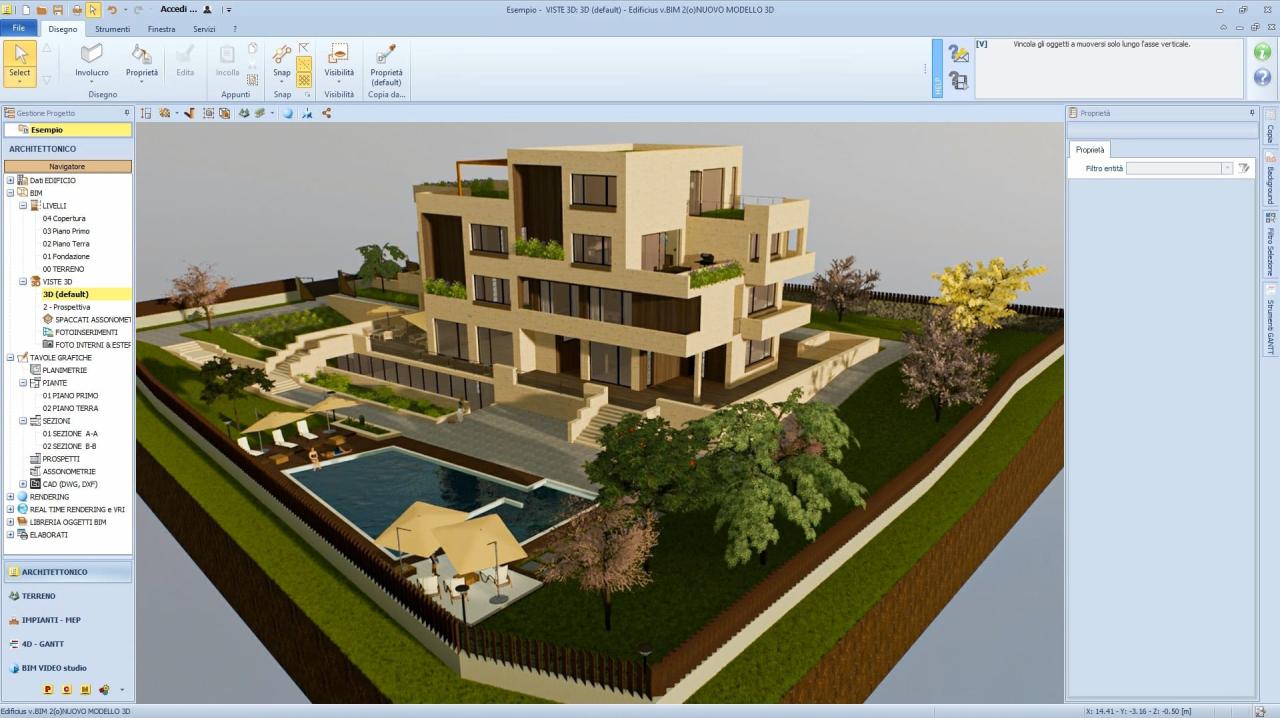
BIM represents a revolutionary leap from simple drafting to intelligent, data-rich modeling. It creates a dynamic, multi-dimensional digital representation of a building, embedding geometric, spatial, and functional information into every component.
1. Autodesk Revit: The BIM Powerhouse
Revit has become synonymous with BIM in many parts of the world. It is a purpose-built platform for architects, MEP engineers, and structural designers.
-
Core Philosophy: Revit operates on a parametric, object-oriented system. Walls, windows, doors, and roofs are not just lines; they are intelligent objects with properties (materials, fire ratings, costs, manufacturers) and relationships. A change in the floor plan automatically updates elevations, sections, schedules, and sheets.
-
Key Advantages:
-
Coordination: Clash detection tools identify conflicts between architectural, structural, and MEP systems before they reach the construction site.
-
Documentation: Elevations, sections, and schedules are generated automatically from the model, ensuring consistency.
-
Analysis: Facilitates early-stage energy analysis, solar studies, and lighting simulations.
-
Lifecycle Management: The model serves as a database for facility management long after construction is complete.
-
2. Graphisoft ArchiCAD: The Veteran Innovator
A pioneer in BIM, ArchiCAD offers a powerful and sometimes more architect-intuitive alternative to Revit.
-
Distinct Features: Known for its smooth and responsive modeling environment, ArchiCAD’s “Virtual Building” concept is similar. It often receives praise for its superior visualization capabilities directly within the modeling workspace and its robust team collaboration features via its BIMcloud technology.
-
Ideal For: Many medium-sized architectural firms and design-focused practices appreciate its balance of design freedom and BIM rigor. Its integration with the Twinmotion rendering engine (both under the Graphisoft parent company, Nemetschek) is exceptionally seamless.
3. The OpenBIM Ecosystem & Vectorworks
-
OpenBIM: Both Revit and ArchiCAD support the OpenBIM philosophy through IFC (Industry Foundation Classes) files, enabling data exchange across different software platforms, crucial for large, multidisciplinary projects.
-
Vectorworks: A versatile hybrid that combines robust BIM capabilities (Vectorworks Architect) with powerful, free-form 3D modeling and rendering tools. It is particularly popular in landscape architecture, entertainment design, and among architects who prioritize conceptual design fluidity.

C. Conceptual Design & Organic Form: 3D Modeling & Sculpting
Before diving into detailed BIM, the creative spark often ignites in software dedicated to conceptual exploration and complex geometry.
1. McNeel Rhino (with Grasshopper): The Geometry Powerhouse
Rhino, or Rhinoceros 3D, is an industrial-strength NURBS (Non-Uniform Rational B-Spline) modeler. It is unparalleled for creating precise, complex, free-form curves and surfaces.
-
Game-Changer – Grasshopper: This visual programming plugin transforms Rhino. It allows architects to create generative designs through algorithmic thinking. By defining parameters and rules, designers can explore thousands of design iterations, optimize forms for sunlight or structure, and create intricate patterns or facades that would be impossible to model manually.
-
Applications: Essential for avant-garde architecture, parametric design, facade engineering, and digital fabrication. Models from Rhino are often imported into BIM software for further development and documentation.
2. SketchUp: The Intuitive Favorite
SketchUp’s legendary “push/pull” tool made 3D modeling accessible to millions. It remains a top choice for rapid massing studies, conceptual design, and quick visualization.
-
Strengths: Its intuitive interface allows for incredibly fast ideation. The extensive 3D Warehouse provides a vast library of pre-made models, from furniture to trees.
-
Evolution: While historically seen as a conceptual tool, advanced use with extensions (like for roofing, terrain, or detailing) and its LayOut tool for drawing production has expanded its role in some smaller practices.
3. Blender: The Open-Source Juggernaut
Originally a powerhouse for animation and VFX, Blender has seen explosive adoption in architectural visualization.
-
Why Architects Use It: It is a completely free, open-source suite offering professional-grade modeling, sculpting, rendering (Cycles and Eevee engines), and even video editing. For studios on a tight budget or those seeking ultimate creative control over their visualizations, Blender is an incredibly powerful tool. Its geometry nodes system offers parametric capabilities similar to Grasshopper.
D. Bringing Designs to Life: Rendering & Real-Time Visualization
Creating photorealistic or stylized images and animations is critical for client presentations, design validation, and marketing.
1. Offline Rendering Engines (Photorealism)
These engines calculate light transport with extreme accuracy, producing cinema-quality stills and animations, often requiring significant computation time.
-
Chaos V-Ray: An industry benchmark. As a plugin for Revit, SketchUp, Rhino, and 3ds Max, V-Ray is renowned for its physically accurate materials, lighting, and global illumination, yielding exceptionally realistic results.
-
Corona Renderer: (Also from Chaos) Praised for its ease of use, artistic control, and photorealistic output with a gentler learning curve than V-Ray. It integrates seamlessly with 3ds Max and Cinema 4D.
-
Enscape & Twinmotion: The Real-Time Bridge: These tools represent a paradigm shift. They plug directly into Revit, ArchiCAD, SketchUp, or Rhino, providing instant, navigable 3D walkthroughs. While their ultimate quality can approach offline renderers, their real power lies in interactive client meetings and immediate design feedback. Twinmotion’s vast library of assets and easy weather/season changes make it incredibly user-friendly.
2. Real-Time Engines (Interactivity & VR)
-
Unreal Engine: The leading real-time 3D creation tool, used for AAA video games and now architecture. It allows for creating fully interactive, VR-ready experiences with breathtaking visual fidelity. It is the go-to tool for sophisticated client immersions, virtual tours of unbuilt spaces, and complex simulation.
E. Specialized & Supporting Software: Completing the Toolkit
A fully rounded architectural skill set includes familiarity with tools for specific tasks.
1. Adobe Creative Suite: Communication & Post-Production
-
Photoshop: Indispensable for touch-up renders, creating compelling photomontages (combining a model into a real site photo), and producing presentation boards.
-
InDesign: The standard for assembling multi-page, print-ready documents like design proposals, portfolios, and final presentation books. Its master page and style sheet functions ensure professional, consistent layout.
-
Illustrator: Excellent for creating clean, scalable diagrams, analytical drawings, and custom infographics that explain design concepts clearly.
2. Analysis & Simulation Software
Sustainable design mandates the use of analytical tools.
-
Autodesk Insight / Sefaira: Integrated with Revit and other BIM data, these tools perform early-stage energy and daylighting analysis to inform design decisions for better performance.
-
Ladybug Tools: A suite of environmental analysis plugins (for Grasshopper) that connects Rhino models with powerful simulation engines for detailed study of radiation, wind, daylight, and thermal comfort.
3. Project Management & Collaboration
-
Bluebeam Revu: Revolutionizes PDF workflows. It allows for intensely marked-up digital plan reviews, quantity take-offs, and collaboration, drastically reducing paper and streamlining coordination.
Forging Your Digital Path: A Strategic Learning Roadmap
With this vast array of tools, a strategic approach to learning is key.
A. Assess Your Goals & Context: Are you aiming for large-scale commercial BIM work? Revit is essential. Focused on high-design or parametric architecture? Prioritize Rhino and Grasshopper. Working in a small residential firm? SketchUp plus robust rendering skills might be the perfect combination.
B. Build a Core Stack: Start with one tool from each essential category:
-
Drafting/BIM: Master either AutoCAD (for fundamentals) or dive directly into Revit/ArchiCAD (for the modern workflow).
-
3D Modeling: Gain proficiency in Rhino (for precision/complexity) or SketchUp (for speed/concept).
-
Visualization: Become skilled in one real-time tool (Enscape/Twinmotion) and one high-end renderer (V-Ray/Corona).
-
Communication: Achieve working competence in Photoshop and InDesign.
C. Commit to Continuous Learning: Software updates constantly. Follow tutorial channels, engage with user communities (like forums and Discord servers), and never stop experimenting. The true mastery lies not just in knowing the buttons but in understanding how to leverage these tools to solve complex design problems, communicate ideas powerfully, and drive innovation in the field.
In conclusion, the architectural software ecosystem is rich and varied, with each application serving as a specialized instrument in the designer’s orchestra. The modern architect must be both a talented designer and a skilled digital craftsman. By strategically building proficiency in this interconnected toolkit from the foundational precision of CAD and the collaborative intelligence of BIM to the boundless creativity of 3D sculpting and the persuasive power of photorealistic visualization you equip yourself not only to participate in the industry but to lead its future, turning visionary concepts into tangible, sustainable, and awe-inspiring reality. The investment in learning these tools is, unequivocally, an investment in your architectural future.